
Simulation for Lucidchart is here. Model, test, and defend your recommendations without leaving the canvas.
If you've ever wished you could run a simulation on a Lucidchart process diagram, this is that. Open any existing flowchart, add real-world inputs directly on your shapes, and run what-if scenarios, all inside the diagram you already built.
Quodsi for Lucidchart is available now through early access. Contact us to get set up.
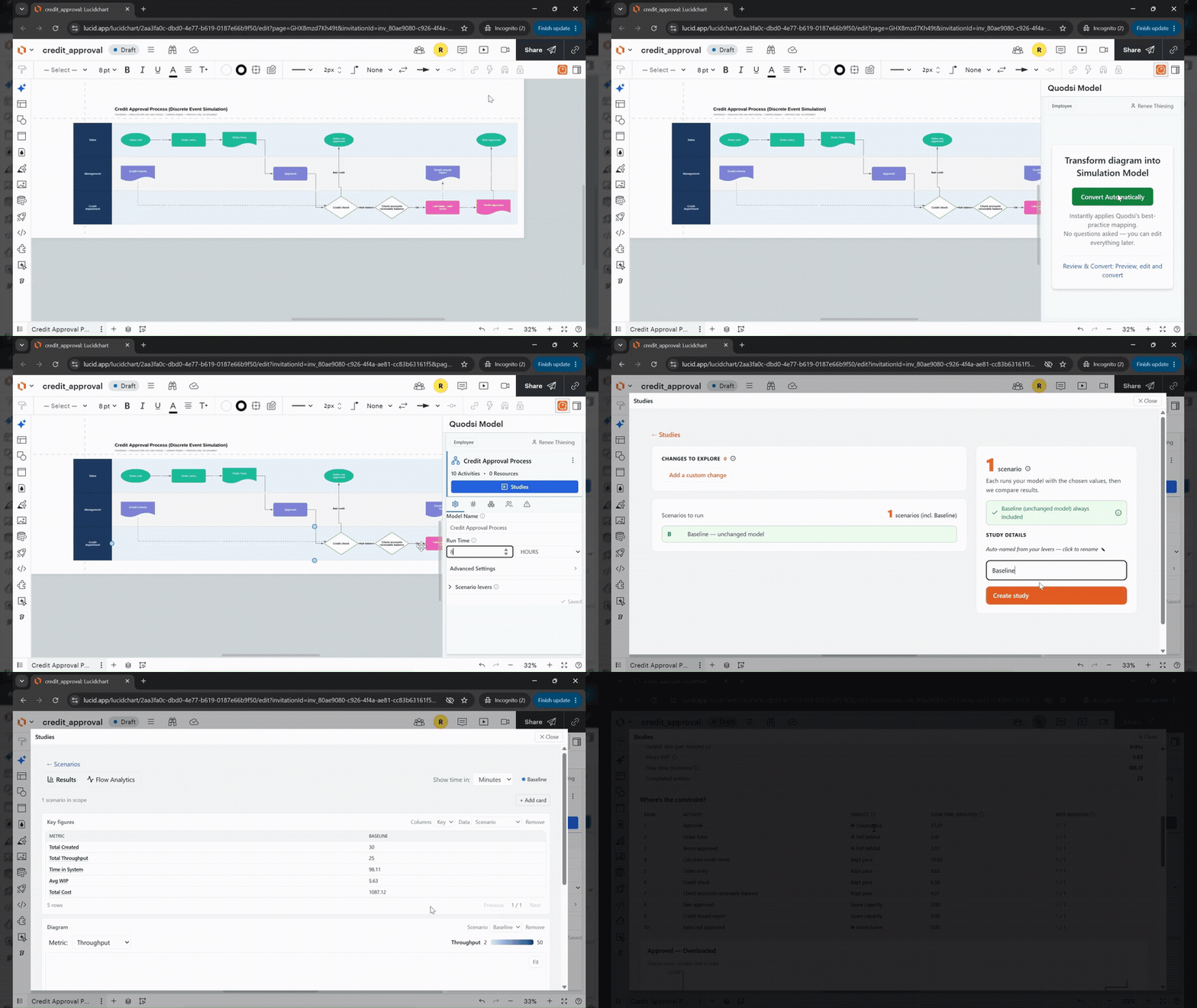
From static diagram to defensible evidence, step by step.
Open your existing Lucidchart process diagram. Quodsi reads your shapes automatically, no rebuilding required.
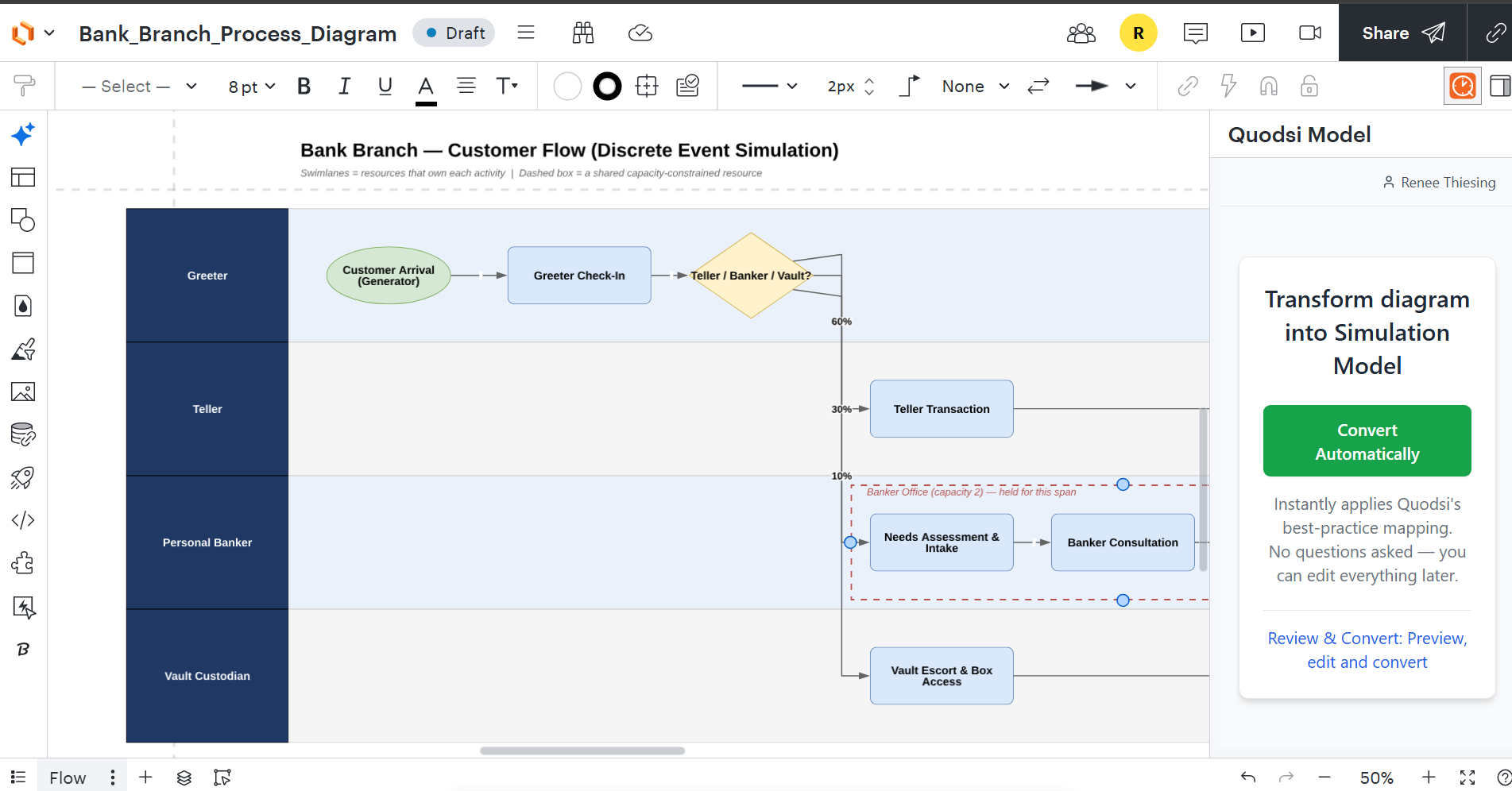
Add arrival rates, processing times, resource capacity, and variability directly on your shapes. Takes minutes.
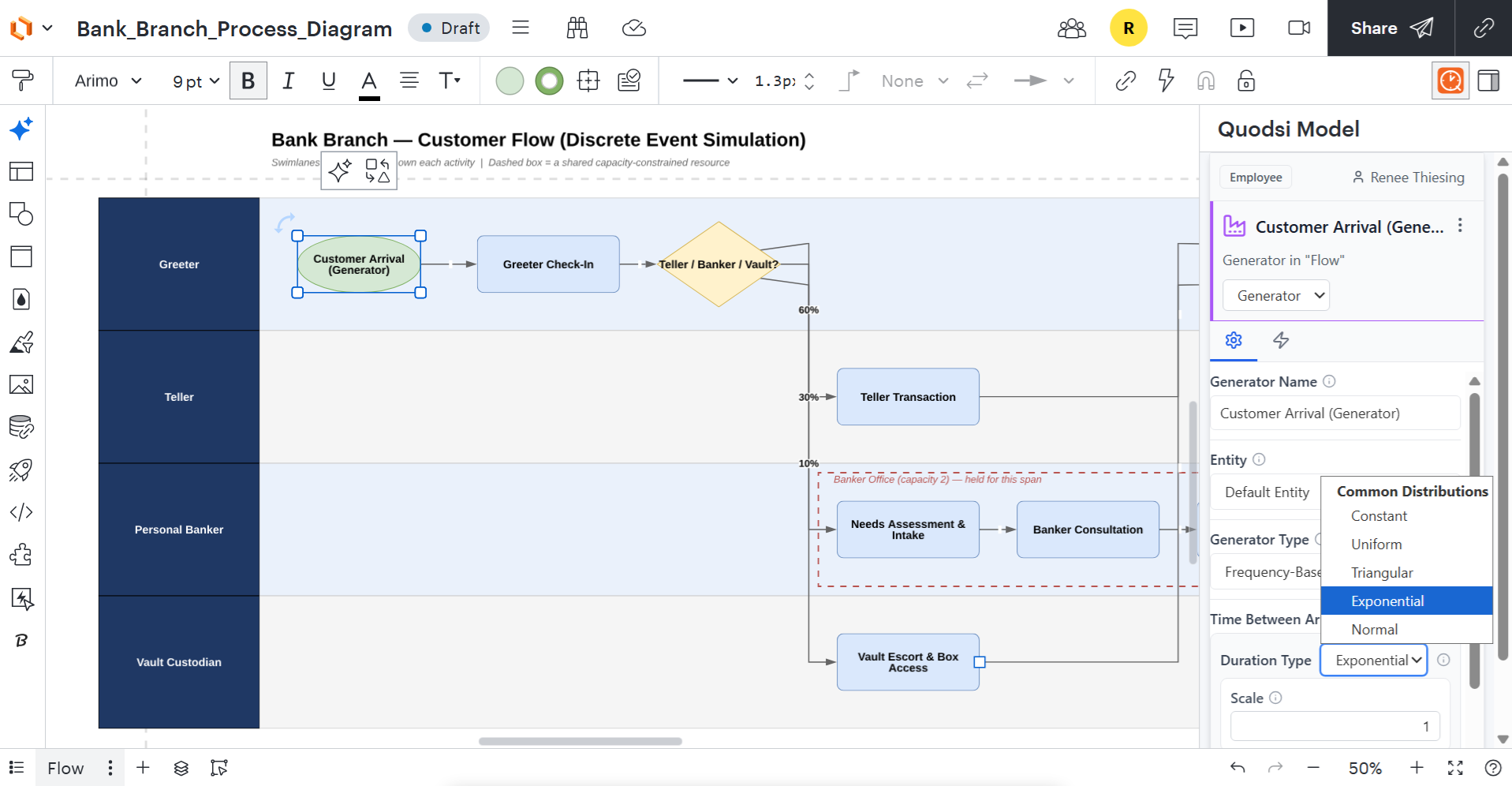
Add staff, remove steps, increase demand, test changes side by side without leaving the canvas.
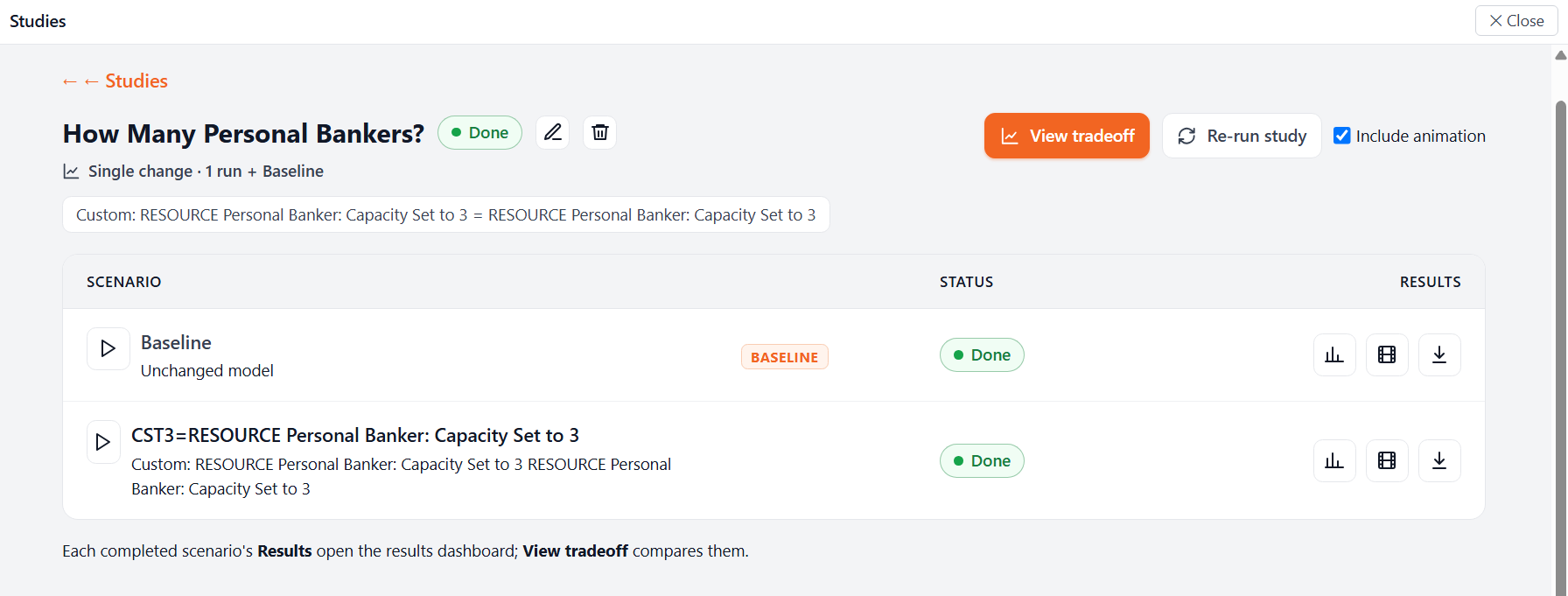
Throughput, wait times, utilization, and cost/service impacts, quantified and compared side by side.
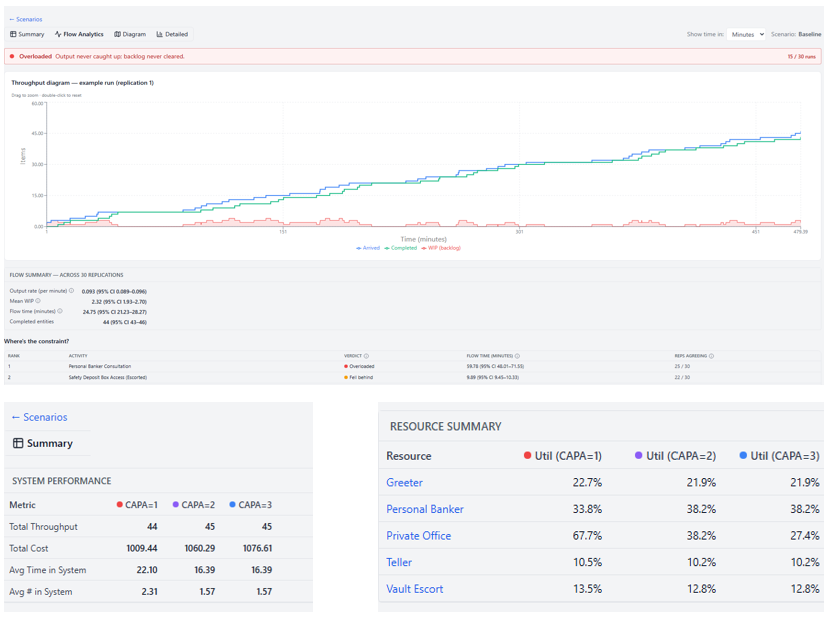
Take the results into your next presentation with evidence, not just a diagram.
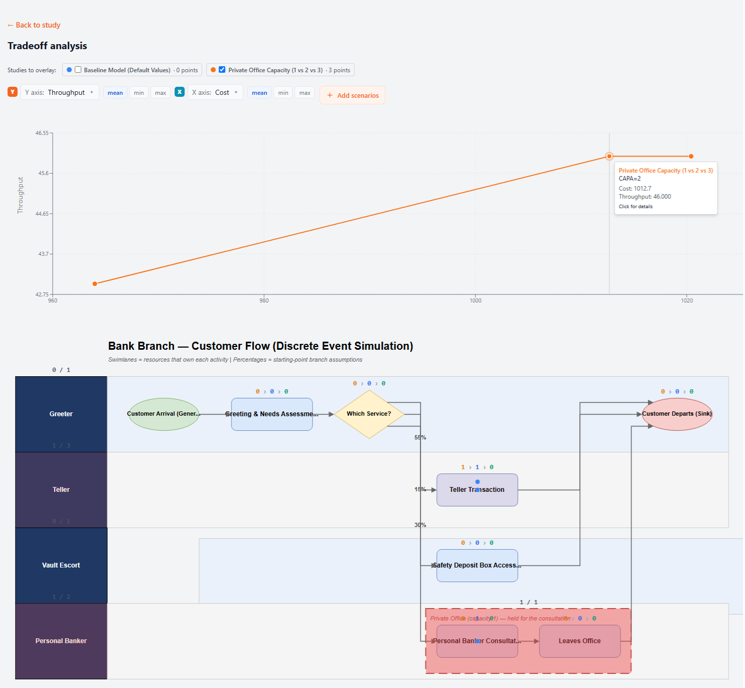
Watch a Lucidchart diagram become defensible evidence.
From a process map to real performance metrics, in minutes, without leaving Lucidchart.
Wondering if Lucidchart can actually run a simulation?
Lucidchart is built for diagramming, not simulation, and it doesn't include this natively. Quodsi is a separate layer that connects to your existing Lucidchart diagrams: it reads the shapes you've already drawn, lets you attach real-world inputs like arrival rates and processing times, and runs the simulation without you rebuilding anything in a separate tool. The diagram stays the diagram. Quodsi just makes it testable.
No separate modeling environment, no rebuilding your diagram in specialist software, no coding. If your team already collaborates in Lucidchart, Quodsi meets you there.
Ready to simulate your first Lucidchart diagram?
Quodsi for Lucidchart is available now through early access. Contact us to get set up and see your own process diagram turned into a working simulation.